Get a Quote
30 05, 2025

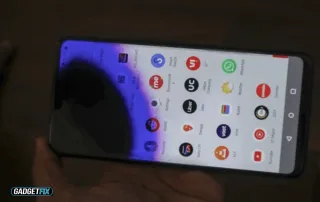
How to Stop Ink From Spreading on the Phone Screen

2025-05-30T10:49:01+00:00May 30th, 2025|phone|0 Comments

The appearance of ink spots on your phone screen typically results from damage to the LCD, which contains liquid crystals that can leak when the screen is cracked or impacted. The best approach is to contact a phone repair technician for a screen replacement. Among the various phone screen repair types, LCD replacement is the [...]
30 05, 2025

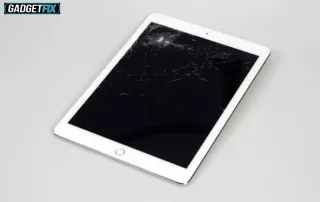
How to Repair an iPad 6th Generation Screen?

2025-05-30T09:53:14+00:00May 30th, 2025|ipad|0 Comments

When your iPad screen cracks or becomes unresponsive, it can disrupt your daily routines, especially if you rely on it for both work and entertainment. Step one to fix this issue is to power off the device to prevent short circuits when disconnecting internal components. Next, gently heat the edges of the screen to loosen [...]

2 05, 2025

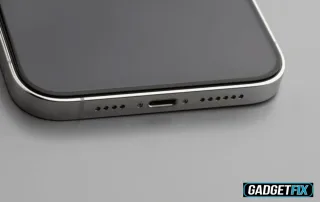
How To Remove Water From Phone Charging Port?

2025-05-02T15:54:44+00:00May 2nd, 2025|phone|0 Comments

If you drop your phone in water or it gets wet, you must act quickly to prevent damage, especially to the charging port. Dealing with a water-damaged charging port can be stressful, but don't worry, there are several good ways to handle this common issue. To remove water from the charging port first, carefully dry [...]

2 05, 2025

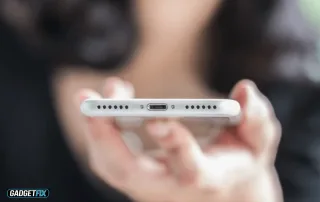
How to Fix Crackling Phone Speakers

2025-05-02T11:36:00+00:00May 2nd, 2025|phone|0 Comments

Are you experiencing a crackling sound from your phone speaker? If so, you're in the right place to learn how to fix crackling phone speakers. Before getting it repaired by a professional, you can try different fixes.  These solutions include cleaning the speaker, restarting your phone, checking the audio settings, testing with different audio services, [...]

30 04, 2025

How to Fix an iPad That Won’t Turn On After Water Damage

2025-04-30T12:36:01+00:00April 30th, 2025|ipad|0 Comments

Is your iPad not responding after water exposure? Don’t give up just yet. You can still recover it by acting promptly. Start by shutting it down immediately. Then, remove all accessories, and dry your iPad with silica gel. Wait for 2 to 3 days until the moisture is fully absorbed, test it with a different [...]

23 04, 2025

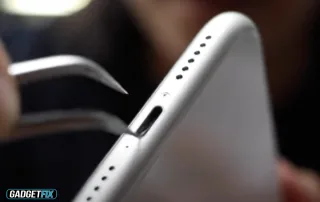
How To Clean the Charging Port of Samsung Phone

2025-04-23T13:20:15+00:00April 23rd, 2025|phone|0 Comments

Over time, particles like dust, lint, and dirt can accumulate in your phone's charging port, especially if you carry it in your pocket or bag. This buildup can block the connection and result in charging issues such as when your Samsung phone shows the lightning bolt but not charging. In many cases, cleaning the charging [...]